> ## Documentation Index
> Fetch the complete documentation index at: https://docs.membase.so/llms.txt
> Use this file to discover all available pages before exploring further.
# Changelog
> Latest updates, new features, and improvements to Membase. Stay up to date with product releases, bug fixes, and new integrations.
Stay up to date with the latest changes to Membase.
***
*June 25, 2026*
## v0.6.0: Self-improving Wiki, Notion Integration, and Agent Conversation Capture
Wiki is becoming an active knowledge workspace. Membase can now help organize and improve your Wiki through reviewable suggestions, sync Notion pages into Wiki, and preserve agent conversations as searchable Wiki documents for later reference.
### New Features
Wiki now helps keep itself organized. Membase can suggest updates, merges, and source-driven changes, then routes them through Inbox Review so you can inspect, edit, accept, or undo changes before they become part of your knowledge base.
The Wiki workspace is easier to review at a glance, with clearer document organization and graph views that help you understand related knowledge before applying changes.
If you were using Wiki as a static document store, you can still download your previous Wiki snapshot from **Wiki > More actions > Download previous Wiki**.
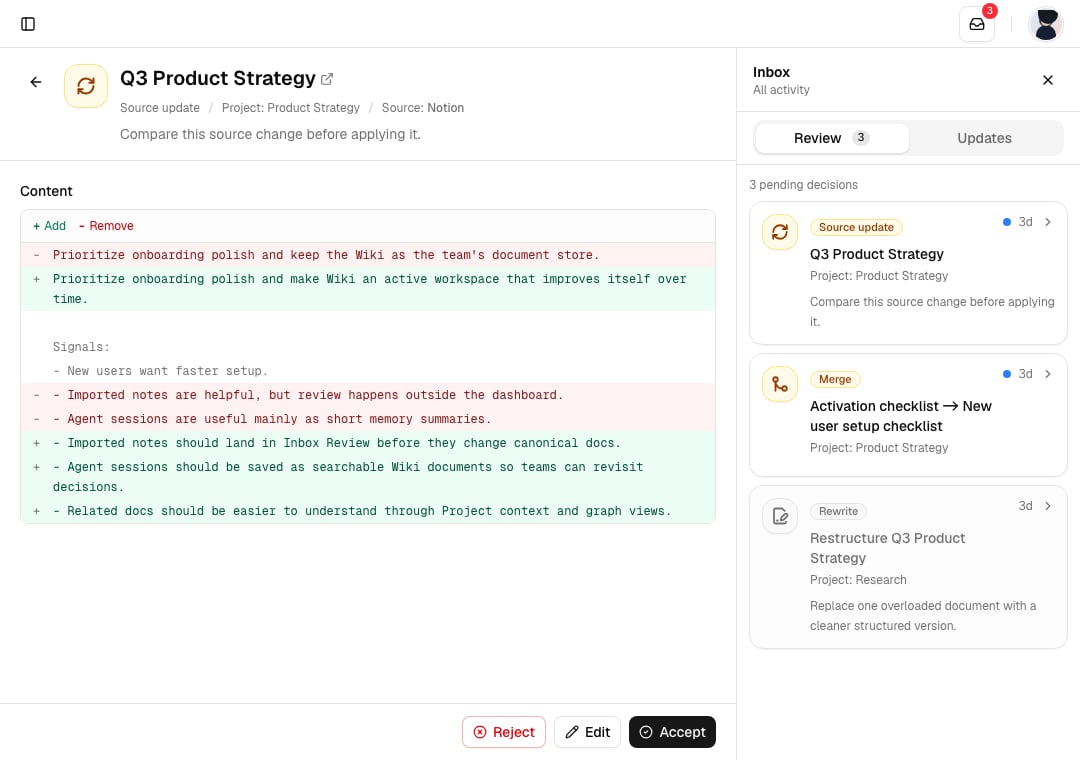
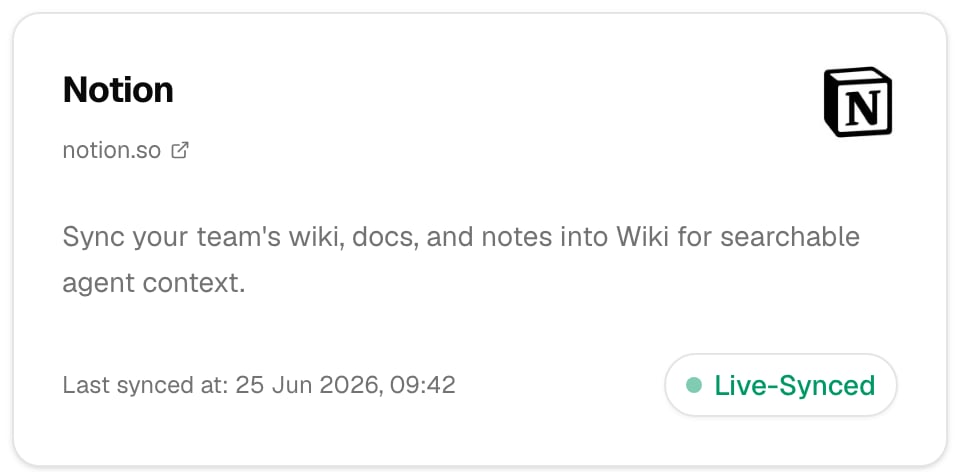
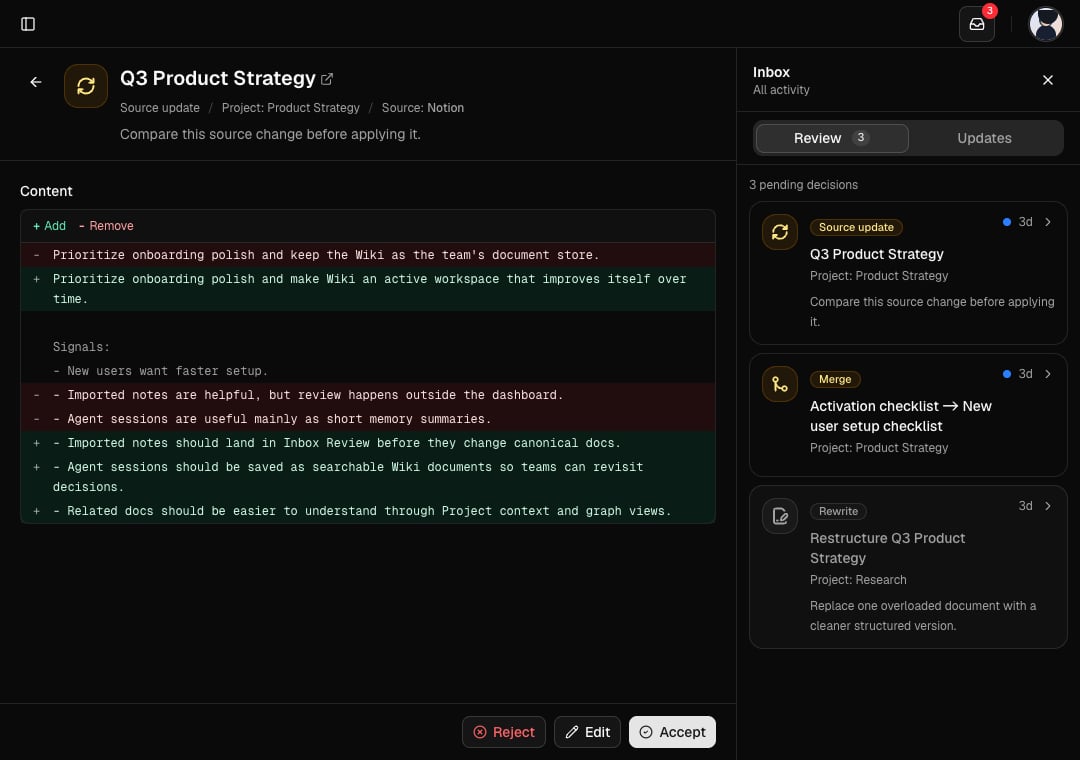 Connect Notion from Sources and bring selected pages into Wiki. Membase keeps your Notion knowledge available as searchable, reviewable context for your dashboard and connected agents.
 Auto-Capture now keeps conversations between you and your agent in Wiki. Hermes, OpenClaw, and Claude Code can preserve agent sessions as searchable Wiki documents, so important work is easier to revisit and build on later.
### Improvements
Hermes, OpenClaw, Claude Code, and MCP clients now work better with Project-based Wiki filing. Wiki saves, updates, and search results more clearly report whether content landed in a Project, Basic, or another destination.
Wiki and chat imports are more resilient for larger files and archives. Import progress is clearer, Markdown and Obsidian uploads follow the newer background import flow, and table-like files are handled more intentionally.
***
*May 19, 2026*
## v0.5.0: Open Beta, Referral Program, and Inline Citations
Membase is now in open beta. Anyone can sign up without an invite code. This release also introduces the referral program, a redesigned chat experience, a public privacy page, and expanded sign-in and agent support.
### New Features
Membase is no longer invite-gated. Create an account and start building your memory from day one.
Invite a friend to Membase and you both get **1 month of Pro free**. Share your referral link from the dashboard, or send an email invite directly. When your friend signs up, the reward is applied automatically.
Auto-Capture now keeps conversations between you and your agent in Wiki. Hermes, OpenClaw, and Claude Code can preserve agent sessions as searchable Wiki documents, so important work is easier to revisit and build on later.
### Improvements
Hermes, OpenClaw, Claude Code, and MCP clients now work better with Project-based Wiki filing. Wiki saves, updates, and search results more clearly report whether content landed in a Project, Basic, or another destination.
Wiki and chat imports are more resilient for larger files and archives. Import progress is clearer, Markdown and Obsidian uploads follow the newer background import flow, and table-like files are handled more intentionally.
***
*May 19, 2026*
## v0.5.0: Open Beta, Referral Program, and Inline Citations
Membase is now in open beta. Anyone can sign up without an invite code. This release also introduces the referral program, a redesigned chat experience, a public privacy page, and expanded sign-in and agent support.
### New Features
Membase is no longer invite-gated. Create an account and start building your memory from day one.
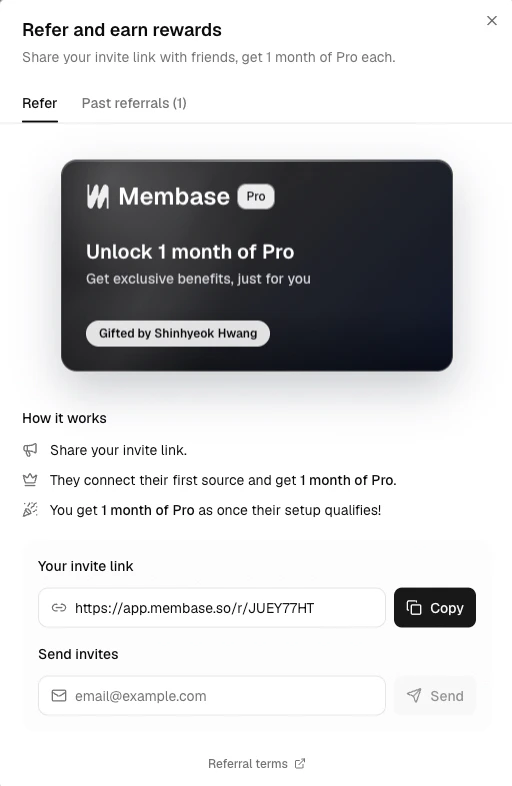
Invite a friend to Membase and you both get **1 month of Pro free**. Share your referral link from the dashboard, or send an email invite directly. When your friend signs up, the reward is applied automatically.
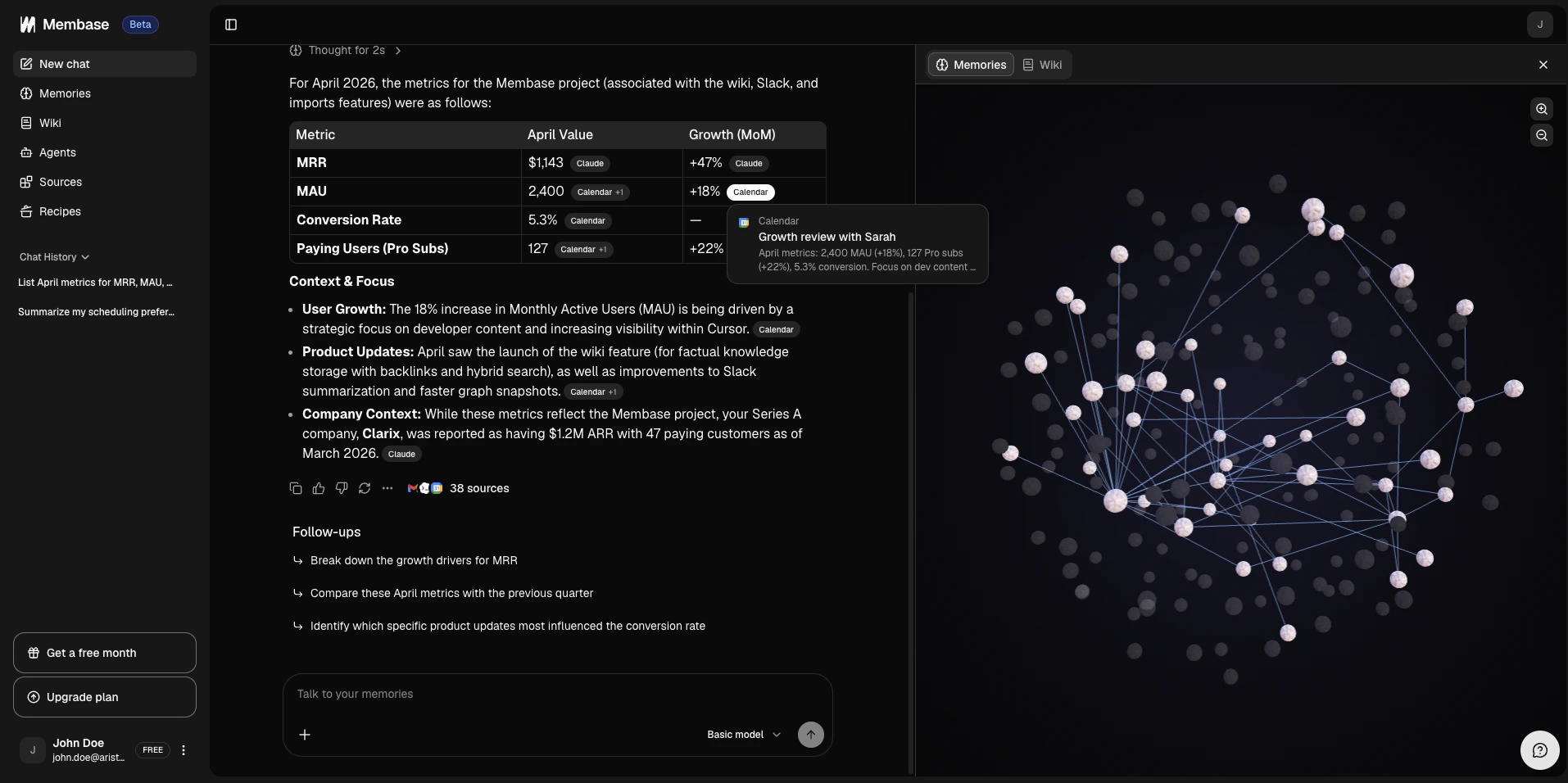
 Chat received a major upgrade across the board.
* **Inline citations**: Answers now link directly to the memories and wiki docs they came from, so you can verify context without leaving the thread.
* **Sources visibility**: The sources panel shows where each answer drew from, with a clearer layout and quick navigation to the original content.
* **Reasoning and tool calling**: See how the assistant thinks through a question and which tools it calls along the way.
* **Feedback**: Rate individual messages to help us improve response quality.
* **Export chat**: Download a conversation as Markdown for sharing or archiving.
* **Mobile view**: Chat, sources, and the graph panel now work properly on smaller screens.
Chat received a major upgrade across the board.
* **Inline citations**: Answers now link directly to the memories and wiki docs they came from, so you can verify context without leaving the thread.
* **Sources visibility**: The sources panel shows where each answer drew from, with a clearer layout and quick navigation to the original content.
* **Reasoning and tool calling**: See how the assistant thinks through a question and which tools it calls along the way.
* **Feedback**: Rate individual messages to help us improve response quality.
* **Export chat**: Download a conversation as Markdown for sharing or archiving.
* **Mobile view**: Chat, sources, and the graph panel now work properly on smaller screens.
 We added a dedicated privacy page on the website that explains what data Membase collects, how it is used, and how you stay in control. We believe transparency builds trust, and we want that to be visible before you sign up.
You can now read how we protect your data [here](https://membase.so/privacy).
### Improvements
Imported frontmatter metadata is now preserved instead of dropped during import. Edit metadata inline on the document page, move documents between collections, and search by simple metadata fields. Agents can read and write wiki metadata through MCP.
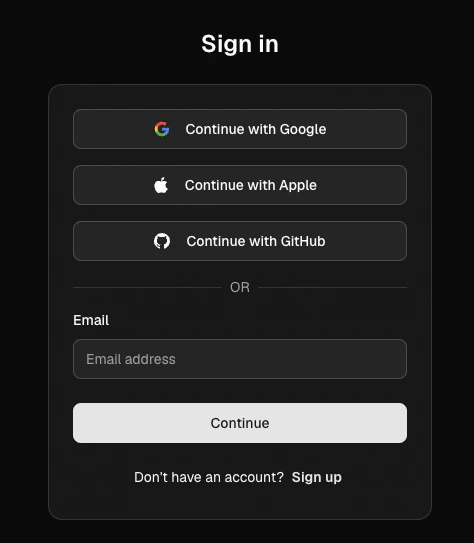
Sign in or sign up with Apple or GitHub alongside email. The auth flow is now two-step: enter your email first, then confirm with a magic link or OAuth provider.
We added a dedicated privacy page on the website that explains what data Membase collects, how it is used, and how you stay in control. We believe transparency builds trust, and we want that to be visible before you sign up.
You can now read how we protect your data [here](https://membase.so/privacy).
### Improvements
Imported frontmatter metadata is now preserved instead of dropped during import. Edit metadata inline on the document page, move documents between collections, and search by simple metadata fields. Agents can read and write wiki metadata through MCP.
Sign in or sign up with Apple or GitHub alongside email. The auth flow is now two-step: enter your email first, then confirm with a magic link or OAuth provider.
 Membase MCP now works with Codex alongside Cursor, Claude Code, OpenClaw, and Hermes. Connect from the Agents tab and your Codex sessions get the same persistent memory and wiki access as every other supported client.
 ***
*April 17, 2026*
## v0.4.0: Wiki, Pro Plan, and Projects
Wiki is now live. Write notes, docs, and structured knowledge, all searchable and available to your agents through MCP. This release also brings Obsidian import, a Pro Plan, Projects and Collections, Recipes, and a smoother onboarding flow.
### New Features
Your memory stores what happened. Wiki stores what you know. Write documentation, meeting notes, and structured knowledge, anything you want to keep reusable and easy to reference. Write with `[[backlinks]]` to link ideas across documents. Membase resolves the connections automatically and keeps them in sync as you edit. See everything in the graph view and find anything instantly with full-text search.
Your agents can read and write to Wiki through MCP, so the knowledge you build here is available to every agent connected to Membase.
***
*April 17, 2026*
## v0.4.0: Wiki, Pro Plan, and Projects
Wiki is now live. Write notes, docs, and structured knowledge, all searchable and available to your agents through MCP. This release also brings Obsidian import, a Pro Plan, Projects and Collections, Recipes, and a smoother onboarding flow.
### New Features
Your memory stores what happened. Wiki stores what you know. Write documentation, meeting notes, and structured knowledge, anything you want to keep reusable and easy to reference. Write with `[[backlinks]]` to link ideas across documents. Membase resolves the connections automatically and keeps them in sync as you edit. See everything in the graph view and find anything instantly with full-text search.
Your agents can read and write to Wiki through MCP, so the knowledge you build here is available to every agent connected to Membase.
 Already have notes in Obsidian? Drop your vault as a zip and Membase imports your notes with `[[backlinks]]` intact. No need to rebuild connections from scratch.
 The free plan stays free. For users who need more room, Pro unlocks unlimited MCP searches, 5,000 memories, 2,000 wiki docs, and 200 dashboard chats per month. Upgrade from [Settings > Billing](https://app.membase.so/settings?tab=billing).
 Memories and wiki docs can now be scoped to a project or collection. When you search or chat, you can target exactly the context you want instead of pulling from everything at once.
Recipes are curated prompts built around how we actually use Membase. Morning Briefing, Weekly Recap, Slack Digest, Pre-Meeting Brief, and more. Run any of them directly from chat. The more integrations you connect, the more useful they become.
Memories and wiki docs can now be scoped to a project or collection. When you search or chat, you can target exactly the context you want instead of pulling from everything at once.
Recipes are curated prompts built around how we actually use Membase. Morning Briefing, Weekly Recap, Slack Digest, Pre-Meeting Brief, and more. Run any of them directly from chat. The more integrations you connect, the more useful they become.
 Hermes Agent is now available as a native Membase plugin. Install it with a single command, connect through OAuth, and give Hermes persistent memory, wiki retrieval, and built-in `MEMORY.md` mirroring across sessions.
 First-time setup now walks you through use cases, privacy settings, and profile configuration step by step, so your workspace is ready to go from day one. Already signed up? Revisit anytime from Help > Quick Guide.
 Use the chat widget in the bottom corner to reach the team directly. Bug reports, feedback, and questions are all welcome.
### Improvements
Large imports now work with resumable uploads and background processing, so you can bring in big chat archives without running into upload failures.
Recall and search flows are more reliable, source filtering now works consistently, and the plugin handles edge cases around authentication and token storage more gracefully.
Search results from Membase via MCP now include a relative relevance score alongside each memory. Your agent can use this to prioritize what is most on-point rather than treating every result the same.
***
*March 21, 2026*
## v0.3.0: Chat History Import, Chat with Memory, and Slack Integration
This update tackles the memory cold-start problem with chat history import, introduces Chat with Memory so you can talk directly to your Membase knowledge base without connecting an agent, and adds live-sync with Slack where most of your work context lives.
### New Features
Your insights are scattered across ChatGPT, Claude, Gemini, and a dozen other tools. Every time you switch, that context disappears. Chat History Import brings it all into one place. Import your conversation history from any major LLM client and Membase turns it into a unified memory you can search, reference, and build on.
Use the chat widget in the bottom corner to reach the team directly. Bug reports, feedback, and questions are all welcome.
### Improvements
Large imports now work with resumable uploads and background processing, so you can bring in big chat archives without running into upload failures.
Recall and search flows are more reliable, source filtering now works consistently, and the plugin handles edge cases around authentication and token storage more gracefully.
Search results from Membase via MCP now include a relative relevance score alongside each memory. Your agent can use this to prioritize what is most on-point rather than treating every result the same.
***
*March 21, 2026*
## v0.3.0: Chat History Import, Chat with Memory, and Slack Integration
This update tackles the memory cold-start problem with chat history import, introduces Chat with Memory so you can talk directly to your Membase knowledge base without connecting an agent, and adds live-sync with Slack where most of your work context lives.
### New Features
Your insights are scattered across ChatGPT, Claude, Gemini, and a dozen other tools. Every time you switch, that context disappears. Chat History Import brings it all into one place. Import your conversation history from any major LLM client and Membase turns it into a unified memory you can search, reference, and build on.
 Ask about a decision you made last month, a conversation from last week, or a pattern across everything you've worked on. Chat with Memory connects your AI to your full Membase context, so responses can be grounded in what actually matters to you. Session history lives in the sidebar so you can pick up any conversation where you left off. Citations link back to the memories used for an answer, and the graph panel shows how everything connects.
 Connect Slack from the Integrations tab. Membase syncs your messages in the background and generates readable summaries from thread and channel content. Incremental updates run automatically, so your workspace stays current as new messages come in.
 ### Improvements
* **MCP Session Recovery**: Improved stability for session reconnection.
* **Google Sync**: More reliable sync process for Calendar and Gmail.
* **OpenClaw**: Stability fixes for the OpenClaw plugin.
* Password sign-in support.
* Mobile UI polish across the dashboard.
***
*March 3, 2026*
## v0.2.3: Gmail Sync, OpenClaw Plugin, and Invite Codes
Connect Gmail, use Membase with OpenClaw, invite people directly from your dashboard, and explore a clearer memory graph.
### New Features
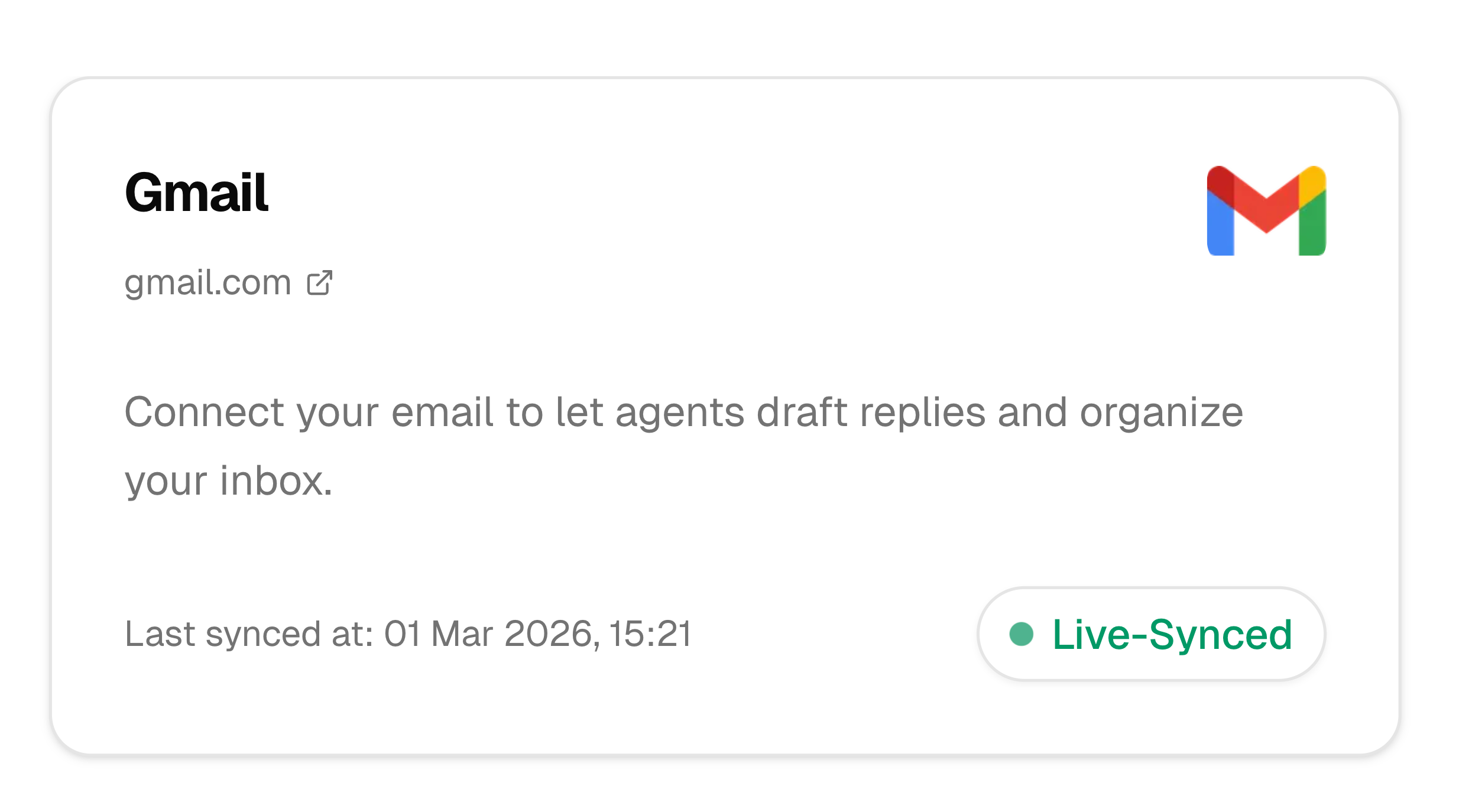
Now you can connect Gmail directly from the Integrations tab. Membase syncs your emails in the background and generates clean, readable memory summaries from email content. Google Calendar works alongside it, so both channels feed into your workspace together.
### Improvements
* **MCP Session Recovery**: Improved stability for session reconnection.
* **Google Sync**: More reliable sync process for Calendar and Gmail.
* **OpenClaw**: Stability fixes for the OpenClaw plugin.
* Password sign-in support.
* Mobile UI polish across the dashboard.
***
*March 3, 2026*
## v0.2.3: Gmail Sync, OpenClaw Plugin, and Invite Codes
Connect Gmail, use Membase with OpenClaw, invite people directly from your dashboard, and explore a clearer memory graph.
### New Features
Now you can connect Gmail directly from the Integrations tab. Membase syncs your emails in the background and generates clean, readable memory summaries from email content. Google Calendar works alongside it, so both channels feed into your workspace together.
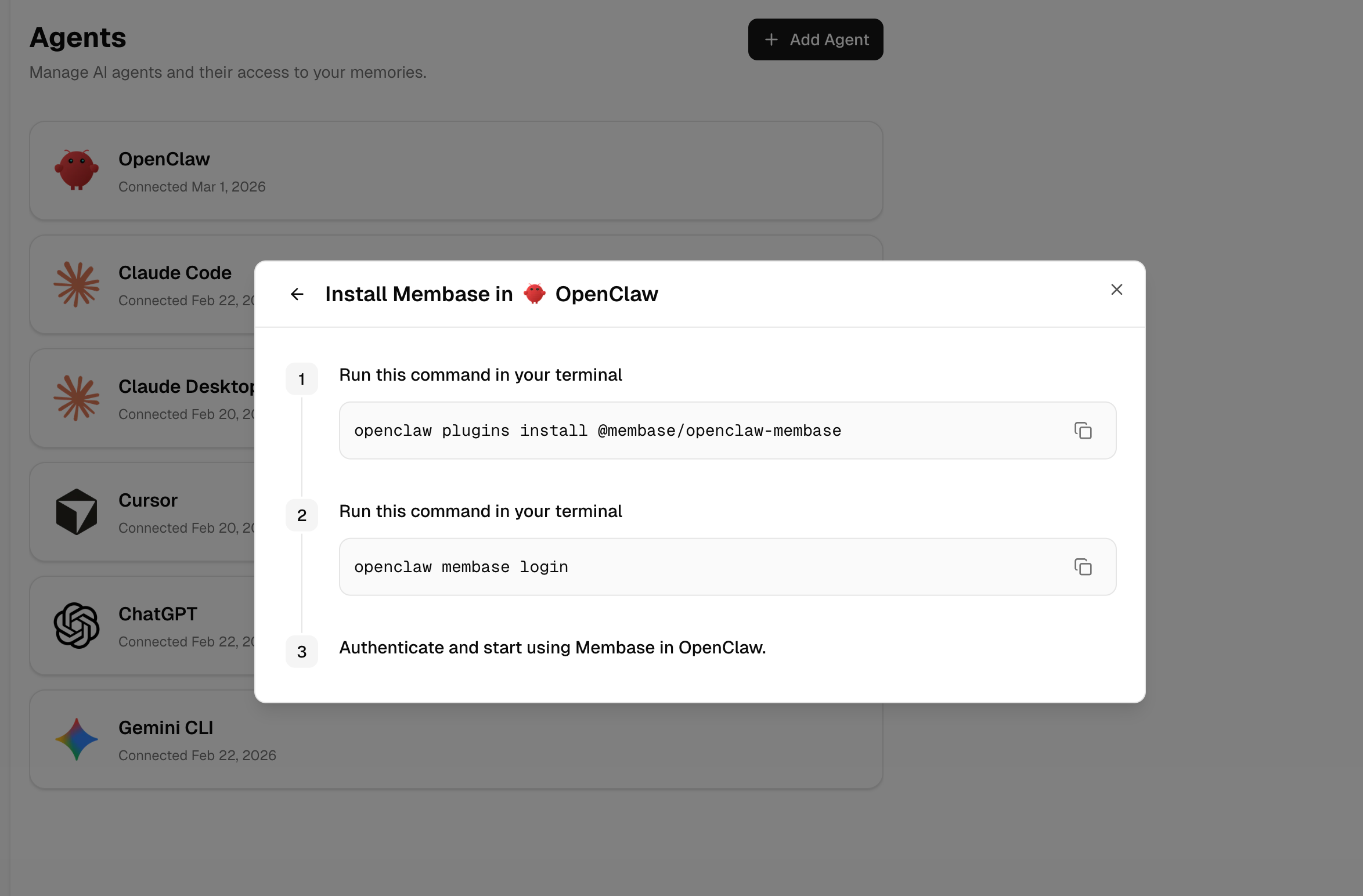
 OpenClaw is now available in the Agents tab, with a built-in step-by-step setup. Support has also expanded to OpenCode and additional clients through the same guided installation flow.
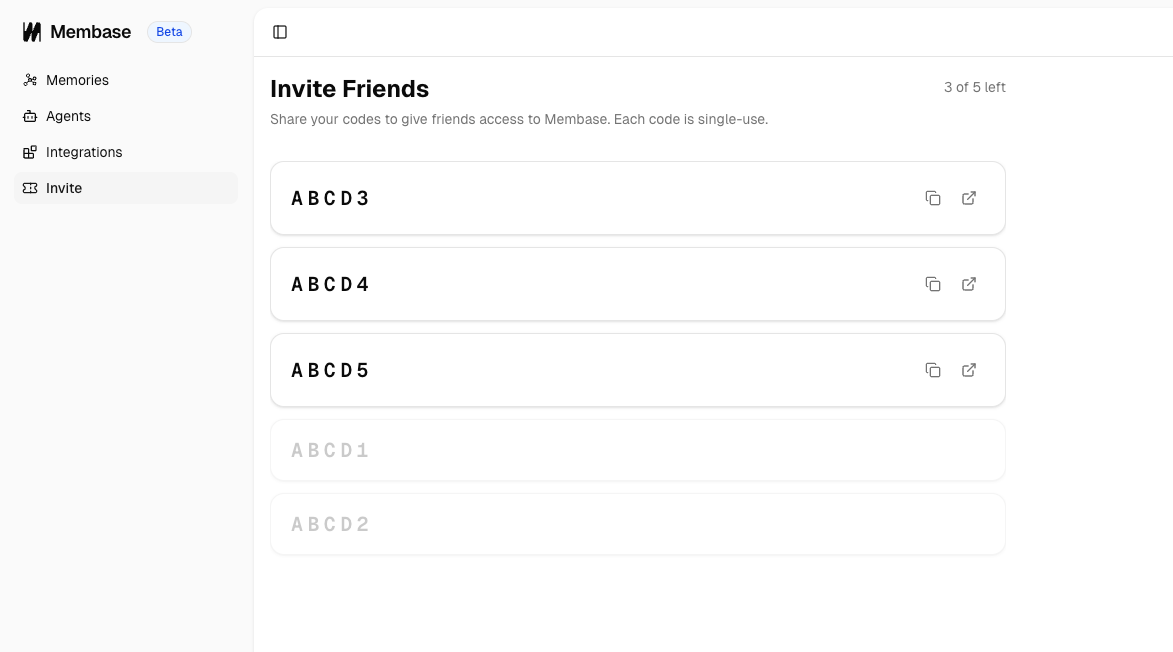
 Every user now has a limited set of invite codes in their dashboard. Each code is single-use. Share a code or a direct link to bring anyone into your memory network.
 ### Improvements
The graph view now renders entities with connections. You can follow related context, jump into detail views, and move across nodes fluidly.
### Improvements
The graph view now renders entities with connections. You can follow related context, jump into detail views, and move across nodes fluidly.
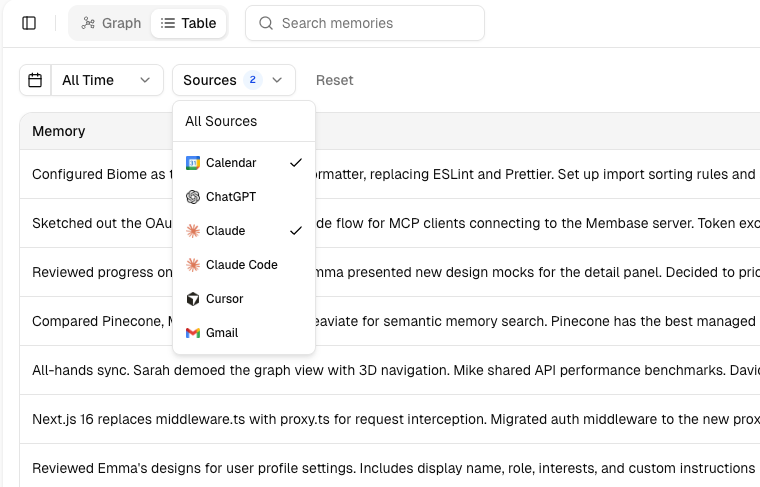
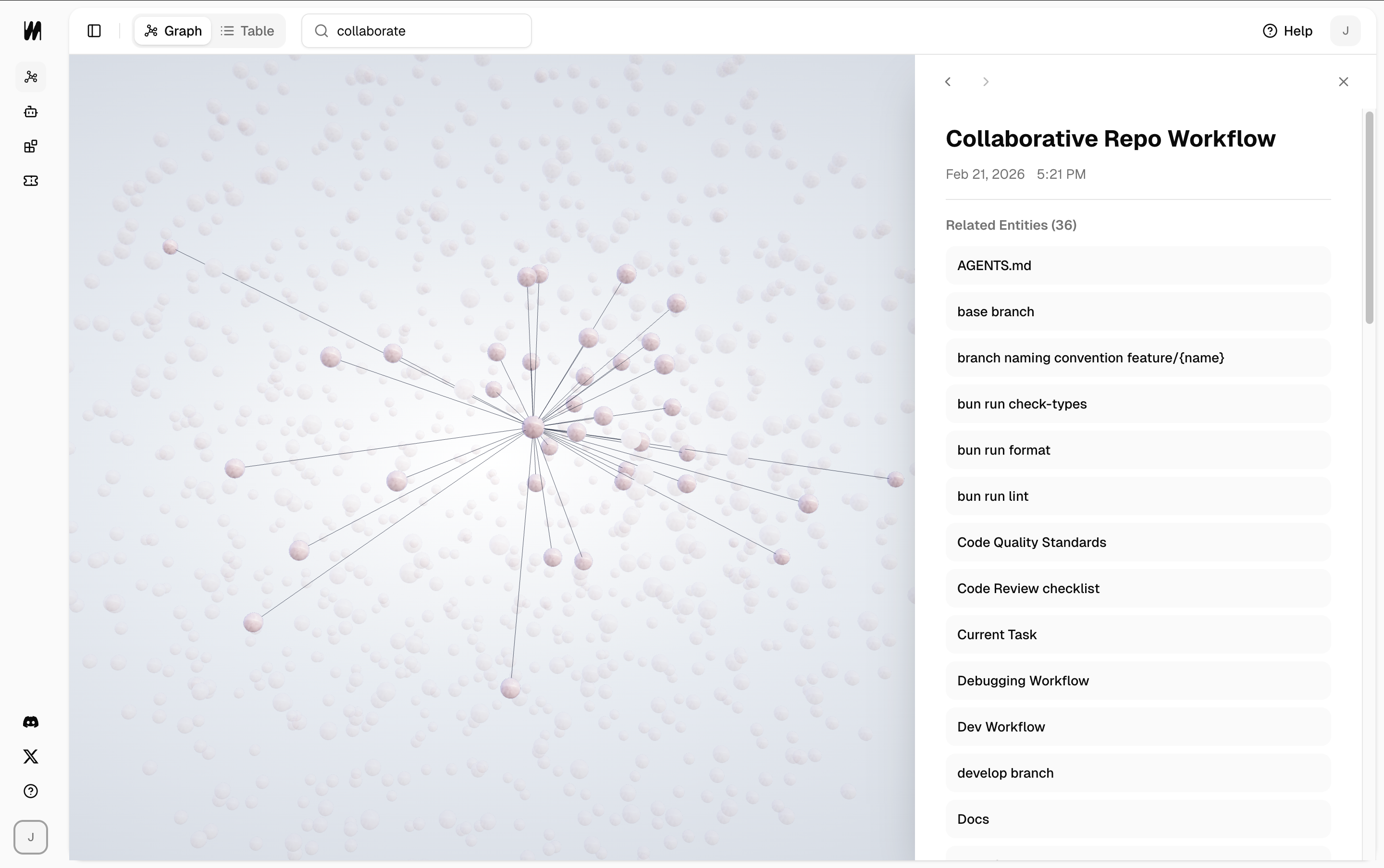 Table View now supports filtering by period and source. You can select multiple sources too.
 * **Context Management**: More accurate context digestion from Google Calendar and Gmail.
* **Sync Process UI**: Polished sync progress bar with more accurate completion handling.
* **Model Upgrade**: Faster ingestion refresh and improved loading reliability.
* **Auto Refresh**: Automatically refreshes whenever new memory is added.
***
*February 20, 2026*
## v0.2.0: Memory Graph, Calendar Sync, and Agent Management
Explore your memories in an interactive 3D graph, sync Google Calendar into Membase, and manage connected agents in real time. This release also includes major performance, stability, and reliability improvements.
### New Features
Explore your memories in an interactive 3D graph. Click any node to zoom in, search to highlight what matters, and discover connections across your memory.
* **Context Management**: More accurate context digestion from Google Calendar and Gmail.
* **Sync Process UI**: Polished sync progress bar with more accurate completion handling.
* **Model Upgrade**: Faster ingestion refresh and improved loading reliability.
* **Auto Refresh**: Automatically refreshes whenever new memory is added.
***
*February 20, 2026*
## v0.2.0: Memory Graph, Calendar Sync, and Agent Management
Explore your memories in an interactive 3D graph, sync Google Calendar into Membase, and manage connected agents in real time. This release also includes major performance, stability, and reliability improvements.
### New Features
Explore your memories in an interactive 3D graph. Click any node to zoom in, search to highlight what matters, and discover connections across your memory.
 Connect Google Calendar in one click. Membase keeps your events in sync automatically: grouping recurring meetings and turning everything into clean, concise summaries.
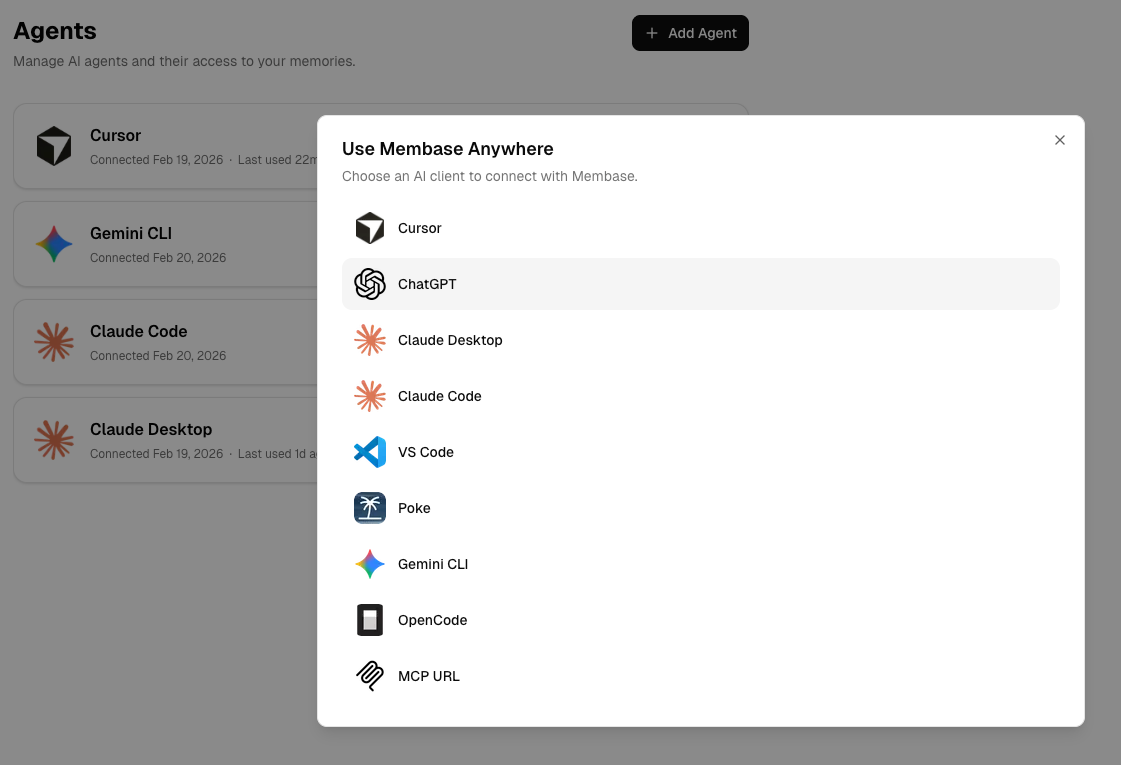
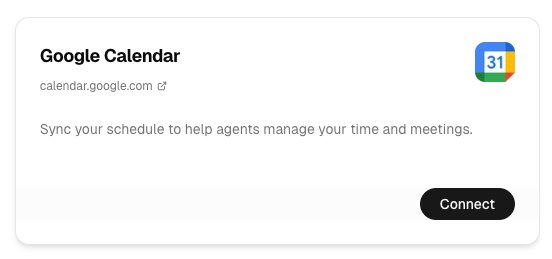 The Agents tab now shows every AI client connected to your Membase in real time. Step-by-step installation guides are also included to make setup faster.
 ### Improvements
* Improved MCP OAuth reliability (disconnects and stale tokens fixed).
* Faster memory ingestion and search.
* Memory source tracking (Cursor, ChatGPT, Calendar, and more).
* Memory deletion in both graph and table views.
* Improved loading performance and reduced data loading errors.
* Dashboard UI polish.
***
Follow us on [X/Twitter](https://x.com/intent/follow?screen_name=mem_base) or join our [Discord](https://discord.gg/vHgtDd6UTK) for the latest announcements.
### Improvements
* Improved MCP OAuth reliability (disconnects and stale tokens fixed).
* Faster memory ingestion and search.
* Memory source tracking (Cursor, ChatGPT, Calendar, and more).
* Memory deletion in both graph and table views.
* Improved loading performance and reduced data loading errors.
* Dashboard UI polish.
***
Follow us on [X/Twitter](https://x.com/intent/follow?screen_name=mem_base) or join our [Discord](https://discord.gg/vHgtDd6UTK) for the latest announcements.