> ## Documentation Index
> Fetch the complete documentation index at: https://docs.membase.so/llms.txt
> Use this file to discover all available pages before exploring further.
# ChatGPT
> Connect Membase to ChatGPT as a custom app using MCP. Give ChatGPT persistent memory that remembers your preferences and context across every conversation.
ChatGPT custom apps/connectors require a ChatGPT plan that supports custom connectors. If the Apps settings are not available, check your ChatGPT plan.
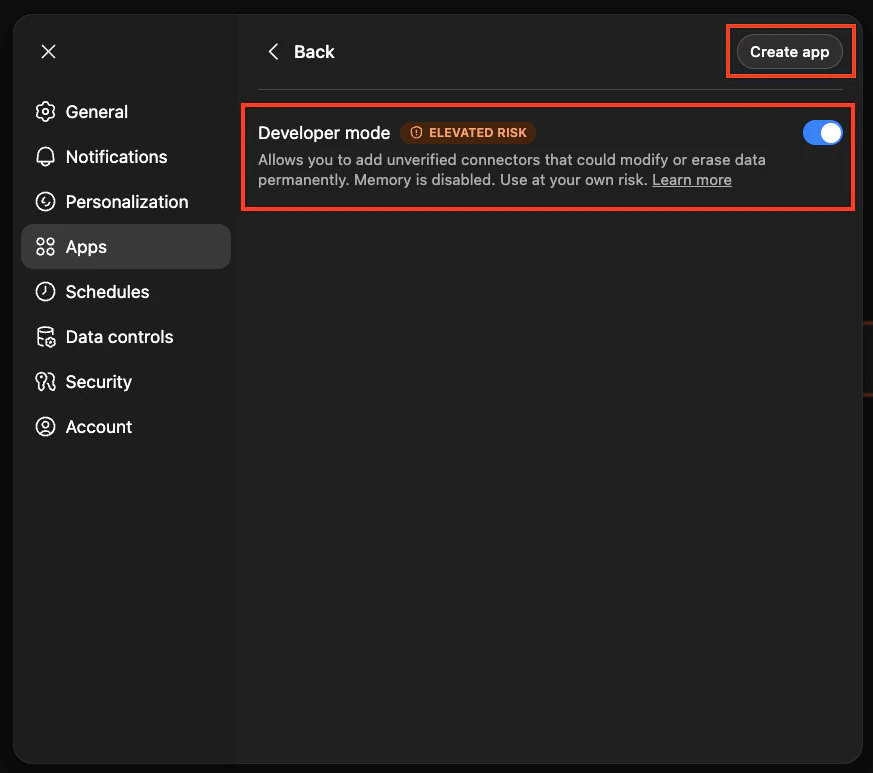
Go to **Settings > Apps > Advanced Settings** in ChatGPT.
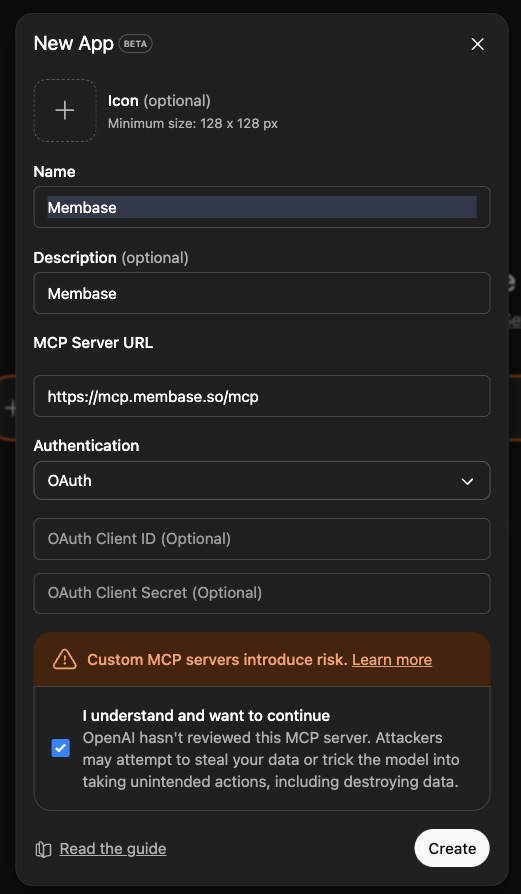
 | Field | Value |
| -------------- | ----------------------------------- |
| Name | `Membase` |
| Description | `Membase memory and wiki connector` |
| URL | `https://mcp.membase.so/mcp` |
| Authentication | `OAuth` |
| Field | Value |
| -------------- | ----------------------------------- |
| Name | `Membase` |
| Description | `Membase memory and wiki connector` |
| URL | `https://mcp.membase.so/mcp` |
| Authentication | `OAuth` |
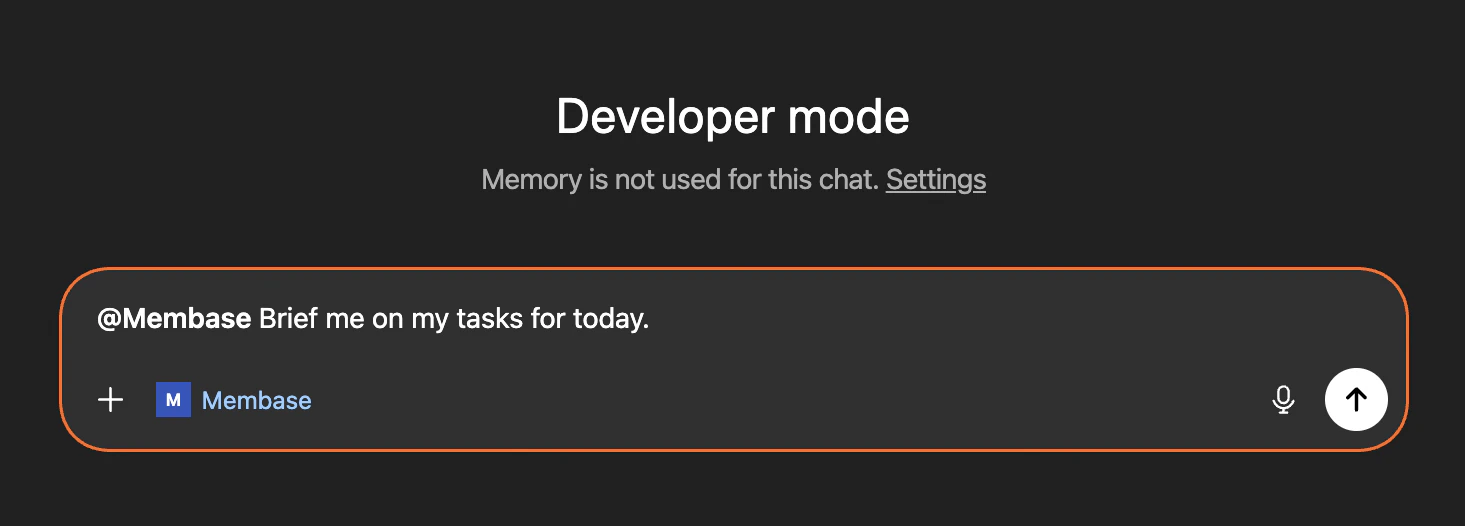
 Try something like: `@membase Brief me on my tasks for today.`
 ## Next Steps
Import chat history, connect apps, and more.
Chat with Memory, agent retrieval, and dashboard exploration.
Store factual knowledge alongside your memories.
See every MCP tool your agent can call.
## Next Steps
Import chat history, connect apps, and more.
Chat with Memory, agent retrieval, and dashboard exploration.
Store factual knowledge alongside your memories.
See every MCP tool your agent can call.